


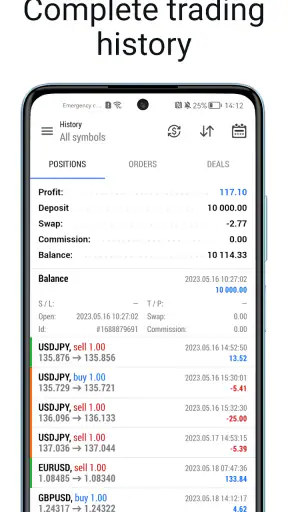
When I use a trading app on a phone, I care less about how impressive the interface looks and more about what happens when the connection becomes slow, crowded, or unreliable. MetaTrader 5 — Forex, Stocks approaches mobile finance as a working terminal rather than a simplified news reader. It brings market quotes, charts, technical analysis, and financial news into one place, but the quality of that experience is closely tied to the network around it. A strong connection makes the app feel responsive; a weak one turns every decision into a question of timing and confirmation.
I found it most useful as a compact market-monitoring and trading workspace for people who already understand the basics of Forex and stock trading. It is free, aimed at Everyone, and developed by MetaQuotes Software Corp. Its broad adoption is reflected in a 4.7 average from around 1.2 million ratings and more than 50 million installs. Those figures do not make it automatically suitable for every investor, but they do suggest that it has become a familiar tool for a very large mobile trading audience.
How MetaTrader 5 Holds Up When the Network Matters
Quotes, charts, and the moments when speed changes the experience
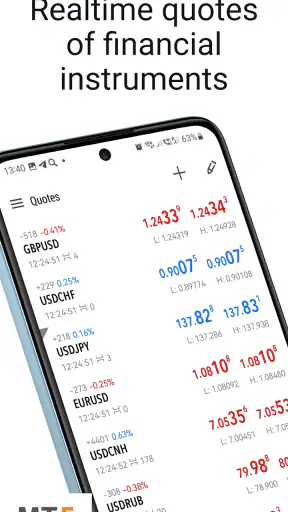
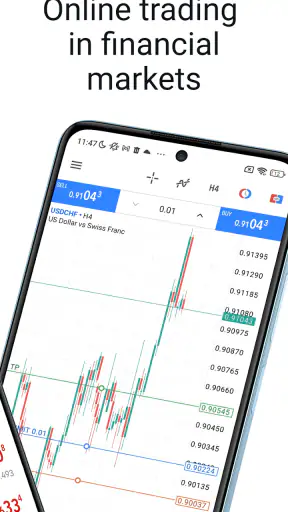
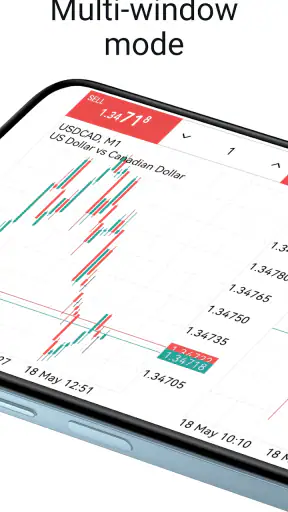
The first thing I notice in a mobile trading terminal is whether market information arrives in a way I can interpret quickly. MetaTrader 5 places quotes and charts at the center of the experience, so connectivity affects more than convenience. If prices update smoothly, I can move from a watchlist to a chart, inspect a movement, and continue checking the surrounding market context without feeling that the app is fighting me. When updates are delayed, the same workflow becomes much less comfortable.
This is an important distinction for new users. A chart on the screen can look current even when the connection is struggling, but visual confidence is not the same as live certainty. I treat the latest visible price as information that needs context, especially after moving between screens or returning to the app. Before taking any action, I prefer to give the quote and chart a moment to refresh and then verify that the displayed market information is behaving normally.
That habit is more valuable than trying to make the interface do everything at once. On a small screen, I can easily switch from a chart to news or another symbol and lose track of what I was checking. A deliberate sequence works better: select the instrument, inspect the broader movement, change the chart view only when necessary, and then return to the quote area before making a decision. The app supports this kind of focused workflow, but it does not remove the responsibility of checking what is current.
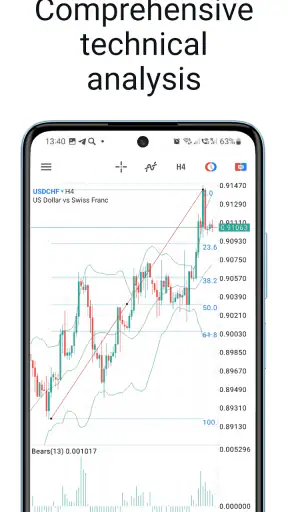
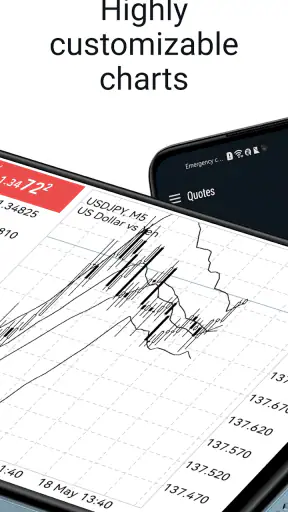
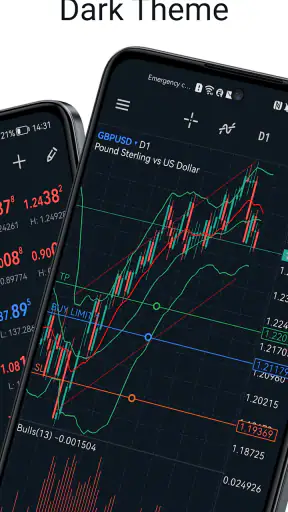
Technical analysis is one of the stronger reasons to choose this app over a basic brokerage companion. A simple investing app may show a price and a line chart, while MetaTrader 5 is designed for users who want more control over chart-based analysis. That flexibility is useful when I am comparing time periods or looking for a pattern rather than reacting to a single price change. The trade-off is that the screen can feel dense, particularly if I am still learning what each chart element is meant to tell me.
Why a phone is useful, and where it becomes uncomfortable
I would not use a phone as my only place for serious market preparation, but I do find it valuable between longer sessions. A realistic example is checking a watchlist during a commute or before a meeting. I can review whether a familiar instrument is moving unusually, read related news, and decide whether the situation deserves a deeper look later. That is a sensible mobile role: observation first, action only when the information and connection are clear enough.
The app also suits users who move between a larger screen and a phone. A desktop setup is usually better for comparing several charts, organizing research, and maintaining concentration. The mobile version is better for checking a selected group of instruments without carrying that full workspace everywhere. I see it as a companion terminal rather than a replacement for every other research method.
Screen size creates a practical limitation that is easy to underestimate. Charts with several indicators or a crowded set of symbols can become visually demanding. Tapping the wrong area is more likely when I am trying to work quickly, and a phone encourages shorter attention spans. I recommend keeping a small, purposeful watchlist instead of filling the screen with every market that might be interesting. This is not merely an organization tip; it reduces the chance that a poor connection and a cluttered interface will combine into a rushed decision.
Another mobile trade-off is notification pressure. Market movement can make a person feel that every update requires an immediate response. MetaTrader 5 is most useful when I decide in advance what I am monitoring and why. If I open it repeatedly without a plan, the stream of quotes, charts, and news can encourage impulsive checking. The app gives me access to information, but it cannot provide the discipline that turns information into a sensible process.
Recovering from delays, interruptions, and uncertainty
Connectivity problems are not always dramatic. Sometimes the app opens normally, but a quote takes longer to change. Sometimes a chart appears while the surrounding information catches up. In those moments, I avoid assuming that silence means stability. I check whether other parts of the app are responding, revisit the relevant instrument, and wait for a consistent view before treating the screen as actionable.
My preferred recovery routine is simple. First, I stop making decisions based on the last visible update. Next, I move back to the quote or chart I actually need instead of jumping through several sections. Then I allow the app to re-establish a clear view before continuing. If the network is still unreliable, I postpone the decision rather than trying to compensate with repeated taps. That approach may feel slower, but it is safer than confusing a delayed screen with a confirmed market condition.
This is where MetaTrader 5 differs from a passive finance app. A news application can remain useful while a connection is intermittent because I may simply read an already loaded article. A trading terminal has a higher standard: I need confidence that the market information relevant to my next step is sufficiently current. The app’s usefulness therefore rises and falls with connectivity in a more direct way than it does for ordinary financial reading.
I also think about recovery after switching networks. Moving from mobile data to Wi-Fi, entering a building, or leaving a crowded public area can change the quality of the session without making the change obvious. I make a habit of returning to the exact instrument I was reviewing rather than assuming the previous screen tells the whole story. If I were considering a trade, I would also verify the action and its result instead of tapping again simply because the first response was not immediate. Repeated actions are a common way for uncertainty to become a larger mistake.
For beginners, this recovery behavior is worth learning before experimenting with real decisions. The app can display sophisticated market information, but sophistication can create false confidence. A responsive chart is not a guarantee of a favorable outcome, and a delayed chart is not a signal to act faster. The right response to a network problem is usually verification or patience, not improvisation.
Using data carefully without turning the app into background noise
Because the experience depends on quotes, charts, analysis, and news, I use MetaTrader 5 more thoughtfully when I limit what I ask it to do. A focused watchlist is easier to interpret than a long collection of symbols. I prefer to group my attention around a clear purpose, such as reviewing a currency pair or following a small set of stocks, rather than constantly adding markets because they are available.
There is also a difference between a short check and a full research session. For a short check, I look at the quote, the relevant chart, and any news that could change the context. For deeper work, I use a larger display or a separate research process where I can compare information without rushing. This division keeps the phone useful without pretending that a small screen is the best place for every analytical task.
A practical data-conscious habit is to avoid refreshing out of anxiety. Repeatedly reopening the same chart does not necessarily improve understanding, especially when the underlying connection is unstable. I would rather set a question before opening the app: has the instrument moved, is there relevant news, or do I need to review the broader trend? If the answer is unclear, closing the app can be more productive than watching every small fluctuation.
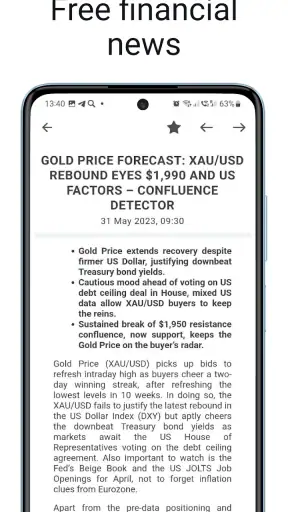
The news area is helpful because it keeps market information close to the charts, but I do not treat a headline as a complete explanation for price movement. I read it as a prompt for further thought, then return to the instrument and consider the time frame I am using. This prevents a common mobile mistake: reacting to a headline before checking whether it is relevant to the particular market or already reflected in the visible movement.
MetaTrader 5 is also better suited to people who want to learn a repeatable process than to people looking for a single recommendation. It provides tools for observation and analysis, but the user still has to decide how to interpret them. If I wanted automatic guidance, a simplified investing app with educational prompts might feel more approachable. If I wanted only long-term portfolio tracking, a standard brokerage app could be less demanding. This terminal earns its place when I value control and market detail more than simplicity.
Who will appreciate it, and who should choose something gentler
I would recommend it to an active or technically curious user who wants mobile market analysis alongside quotes and news. It makes sense for someone who already knows the difference between watching a market and acting on it, and who is willing to spend time learning the layout. Traders who move between devices may also appreciate having a serious mobile option rather than a stripped-down price checker.
I would be more cautious about recommending it to someone opening a finance app for the first time. The range of information can be useful, but it can also make basic questions feel more complicated than they need to be. A person focused on long-term saving, simple fund purchases, or occasional portfolio checks may prefer a conventional investment app with fewer moving parts. MetaTrader 5 is not a universal upgrade; it is a better fit for a specific style of engagement.
It is also not the right choice for anyone who expects a trading terminal to remove financial risk. Charts and technical analysis can support a plan, but they do not turn uncertain markets into predictable ones. I would use the app to organize observations and execute a considered workflow, not as a substitute for understanding the instruments involved or setting personal limits.
Version, access, and the practical setup
The app was released on October 10, 2011, and the current version is 500.6140. It supports devices running Android 6.0 or later, which makes it available to many users with older compatible phones as well as newer devices. Since the app is free, the main cost is not an entry fee but the time required to understand the interface and the financial consequences of using a trading platform.
I would still prepare before relying on it during an important market moment. I would check that the phone is running a supported system, make sure I know where the instruments and charts I care about are located, and practice the sequence I intend to follow. Learning the interface during a rushed situation is a poor substitute for learning it during a quiet one.
The Everyone content rating makes the app broadly accessible from an age-classification perspective, but that should not be confused with financial suitability. A general content rating says little about whether a person has the knowledge, risk tolerance, or goals needed for trading. I see that distinction as essential when recommending a finance app to a friend.
My connectivity verdict after using it as a mobile terminal
MetaTrader 5 succeeds when I treat it as a connected market workspace, not as a magic window into guaranteed real-time certainty. Its combination of quotes, charts, technical analysis, and news gives it more depth than a basic price-tracking app, and its mobile format makes that depth available when I am away from a desk. The same depth creates a learning curve, and the network-dependent nature of market information demands more care than ordinary browsing.
The most convincing use case is a prepared user checking a focused watchlist, studying a chart, reviewing relevant news, and waiting for a dependable connection before acting. The weakest use case is a distracted beginner repeatedly opening the app on an unstable network and treating every visible number as an immediate instruction. In the first situation, the app can make mobile monitoring practical. In the second, its detail may amplify confusion.
My final view is positive but conditional. I like MetaTrader 5 because it respects users who want real analytical control instead of reducing markets to a single green or red number. I also appreciate that it can fit into a larger routine: desktop research for concentration, mobile checks for awareness, and deliberate recovery when connectivity becomes questionable. The key strength is not simply having more market information; it is having that information organized closely enough to support a careful workflow.
If you are comfortable learning chart tools and can stay patient when a connection is imperfect, this free finance app is a strong candidate for mobile Forex and stock monitoring. If your priority is effortless long-term investing or a calm, minimal interface, another category of app may serve you better. For me, the deciding factor is clear: MetaTrader 5 is valuable when I use it with a plan, a focused watchlist, and enough respect for connectivity to verify before I act.


